
Keeping computer systems and networks running smoothly is a big job. It involves a lot of different tasks, from making sure things are set up right to keeping them safe and working fast. For anyone in this field, having the right tools can make a huge difference. This guide is all about the Technology and Administration: Tools Every Admin Should Know, covering what you need to manage systems effectively in today’s world.
Key Takeaways
- System administrators are vital for keeping digital operations running. Their job includes managing hardware, software, and networks to ensure everything works well and stays secure.
- Tools for managing configurations, networks, and devices help keep systems stable and connected. These tools automate setup and maintenance.
- Monitoring and automation tools are key for efficiency. They help spot problems early, speed up routine tasks, and make troubleshooting easier.
- Security and data protection are top priorities. Admins need tools to guard against threats and make sure data can be recovered if lost.
- Cloud and remote work are changing how systems are managed. Admins need to handle distributed teams and cloud-based services, often using specialized tools for these environments.
Foundational Concepts in Technology and Administration

Getting started in technology and administration means understanding the basics of what keeps everything running. It’s not just about fixing things when they break, though that’s a big part of it. Think of it like being the caretaker of a complex digital house. You need to know where all the pipes and wires are, how to keep the lights on, and how to make sure no one unauthorized gets in.
Defining Server Administration: Goals and Core Responsibilities
Server administration is all about keeping servers in good shape. The main goals are to make sure they work well, stay available, and are secure. This involves a bunch of tasks. You’re responsible for checking the hardware, updating software, making sure backups are happening regularly, and keeping an eye on how everything is performing. The ultimate aim is to keep the business running smoothly without any digital hiccups. It’s about preventing problems before they even start, which is way better than dealing with a crisis.
The Importance of System Administrators in Today’s World
System administrators are pretty important these days. They’re the people who make sure your email works, your favorite website loads, and that all the data businesses rely on is safe. Without them, a lot of what we do online wouldn’t be possible. They manage the systems that host everything from company applications to customer data. It’s a role that requires a mix of technical know-how and problem-solving skills. They are the backbone of modern IT infrastructure, ensuring that the digital world keeps turning.
Key Skills and Responsibilities for Modern Admins
Today’s system administrators need more than just basic computer knowledge. The job has changed a lot. You used to just manage physical machines, but now it’s often about virtual systems and cloud environments. This means you need to know about things like virtual machines and different cloud services. Automation is also a big deal; learning to script tasks can save a ton of time. Security is another major area, as is understanding how to manage systems remotely. It’s a constantly changing field, so being willing to learn new things is key. Some of the core duties include:
- Hardware and software maintenance
- Network monitoring and troubleshooting
- Data backup and recovery procedures
- Implementing security measures
- Managing user accounts and permissions
The shift in system administration is moving from just reacting to problems to proactively building and automating systems. This means understanding how to define your infrastructure using code and managing it programmatically for better consistency and efficiency. It’s a move towards a more engineering-focused approach.
To stay current, it’s good to keep up with new technologies and best practices in the field. Exploring resources on network management, for example, can provide insights into evolving trends and necessary skills for modern network administration. This continuous learning helps ensure you can handle the demands of the evolving IT landscape.
Essential Tools for System and Network Management
Alright, let’s talk about the gear you actually need to keep things running smoothly. Being a sysadmin or network admin means you’re the one people call when the internet goes down or the server acts up. You need the right tools, plain and simple. Think of it like a mechanic needing a good wrench set; you can’t fix a car with just a butter knife. These tools help you manage, monitor, and fix problems, often before anyone even notices there’s an issue. Having the right toolkit is what separates a good admin from one who’s constantly putting out fires.
Configuration Management Tools for System Stability
Imagine trying to set up a dozen new computers exactly the same way, manually. It’s a recipe for mistakes and takes forever. That’s where configuration management tools come in. They let you define how your systems should be set up – what software needs to be installed, what settings should be applied, and so on – and then they apply those settings automatically across all your machines. This means less manual work for you and a lot more consistency across your network. If a setting changes or a new machine needs to be added, you just update the definition, and the tool handles the rest. It’s all about making sure your systems are set up correctly and stay that way, which really helps prevent a lot of headaches down the line.
Some popular options include:
- Ansible: Great for automating deployments and managing configurations. It’s pretty straightforward to learn.
- Chef: A bit more complex, but very powerful for managing large, intricate environments.
- Puppet: Similar to Chef, it uses a declarative language to define system states.
Network Management Tools for Seamless Connectivity
Keeping the network humming is a big part of the job. Network management tools are your eyes and ears for everything that’s happening on your network. They help you see who’s connected, how much data is being used, and if any devices are acting strangely. These tools can spot problems like a slow connection or a device that’s offline before users even complain. You can often use them to remotely check on devices, restart them, or even change their settings without having to physically go to where they are. This saves a ton of time, especially if your network spans multiple buildings or locations.
Key functions often include:
- Performance Monitoring: Tracking bandwidth usage, latency, and packet loss.
- Device Discovery: Automatically finding and cataloging network devices.
- Traffic Analysis: Understanding what kind of data is flowing through your network.
- Remote Configuration: Making changes to network devices from your desk.
Endpoint Device Management Solutions
Endpoints are basically any device that connects to your network – laptops, desktops, mobile phones, tablets, you name it. Managing all these devices, especially with more people working remotely, can get complicated fast. Endpoint device management solutions help you keep track of all these devices, make sure they’re secure, and deploy software or updates to them. You can set security policies, like requiring a password or encrypting the hard drive, and enforce them across all devices. It’s also super helpful for troubleshooting when someone’s computer isn’t working right; you can often connect remotely to see what’s going on.
Think about these capabilities:
- Inventory Management: Knowing exactly what devices you have and who’s using them.
- Software Deployment: Pushing out new applications or updates to many devices at once.
- Security Policy Enforcement: Making sure all devices meet your security standards.
- Remote Support: Connecting to devices to fix issues.
Keeping track of every single device connected to your network is more important than ever. With so many different types of devices and people working from various locations, a solid management solution stops things from getting lost in the shuffle and helps maintain a secure environment for everyone.
Monitoring and Automation: Enhancing Efficiency
Keeping an eye on your systems and making them do work for you automatically is a big deal for any admin. It’s not just about fixing things when they break; it’s about stopping them from breaking in the first place and getting repetitive tasks done without you having to lift a finger. This is where monitoring and automation tools come into play, and honestly, they’re lifesavers.
Real-Time Monitoring and Alerting Systems
Think of real-time monitoring as your system’s vital signs. These tools constantly check things like CPU usage, memory load, disk space, and network traffic. They give you a live look at what’s happening, so you can spot a problem brewing before it blows up. When something goes wrong, like a server suddenly using way too much memory, an alerting system kicks in. It sends out notifications – maybe an email, a text, or a message in your team chat – so you can jump on it. This proactive approach means less downtime and happier users. Tools like Zabbix are great for this, offering a lot of flexibility for different setups.
Automation Tools for Streamlining Workflows
Repetitive tasks are the bane of an admin’s existence. Setting up new servers, applying patches, managing user accounts – these can all be automated. Automation tools let you write scripts or define configurations that these tools then execute. This not only saves you a ton of time but also reduces the chance of human error. Imagine deploying a new application across a dozen servers with just a few commands. That’s the power of automation. Tools like Ansible or Terraform can really change how you manage your infrastructure, making things much more predictable. You can find some free tools for IT administrators that help with these kinds of tasks.
Log Management for Proactive Troubleshooting
Logs are like a system’s diary. Every action, every error, every warning gets recorded. But sifting through mountains of log files manually is a nightmare. Log management systems collect all these logs from different servers and applications into one central place. They make it easy to search, filter, and analyze this data. This is super helpful when you’re trying to figure out why something broke. Instead of guessing, you can look at the logs and often pinpoint the exact cause. This makes troubleshooting faster and more effective, helping you get systems back online quicker.
The real magic happens when monitoring and automation work together. Alerts from your monitoring system can trigger automated responses, like restarting a service or scaling up resources. This creates a self-healing environment that requires less manual intervention.
Security and Data Protection Strategies
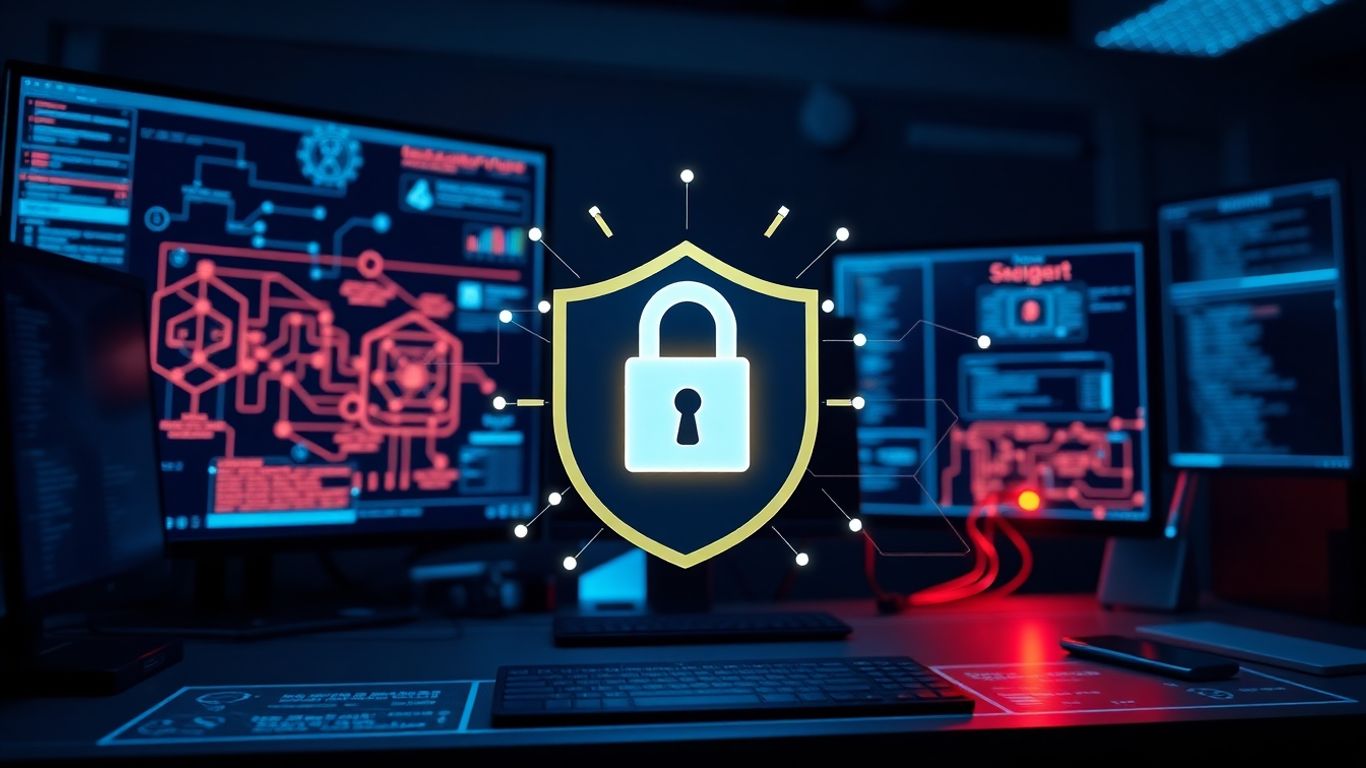
Keeping your systems and data safe is a big deal, and it’s not something you can just wing. Think of security tools as your digital bouncers, always on the lookout for trouble. They help spot weaknesses before anyone else does, guard your networks, and block anyone who shouldn’t be getting in. You can use them for things like testing how tough your defenses are, watching for suspicious activity, and reacting fast if something looks off. With cyberattacks getting smarter all the time, these tools aren’t just nice to have; they’re absolutely necessary. They help make sure your systems can handle whatever the bad guys throw at them.
Security Tools for Threat Mitigation
These tools are your first line of defense. They range from firewalls that act as gatekeepers to intrusion detection systems that sound the alarm when something’s wrong. Antivirus and anti-malware software are standard, but modern solutions also include endpoint detection and response (EDR) systems that offer more advanced threat hunting capabilities. We’re talking about software that can analyze user behavior, identify unusual patterns, and even shut down threats automatically. It’s about being proactive, not just reactive. Regularly scanning for vulnerabilities and patching them is also a key part of this. You can’t just set it and forget it; security is an ongoing process. For a solid approach to managed data security, consider solutions that offer both backup and disaster recovery services, which can significantly speed up recovery times after an incident managed data security.
Backup and Recovery Solutions for Data Resilience
Stuff happens. Hard drives fail, ransomware strikes, or someone accidentally deletes a critical file. That’s where backup and recovery tools come in. They’re your safety net. Good backup software lets you schedule automatic backups, so you don’t have to remember to do it. Features like data deduplication save space, and encryption keeps your backed-up data private. Setting up retention policies means you can decide how long to keep backups. The main goal here is to make sure you can get your data back if it’s lost. This is super important for keeping the business running without major interruptions.
Here’s a quick look at what makes a good backup strategy:
- Regularity: Backups should happen often, ideally daily or even more frequently for critical data.
- Testing: Don’t just assume your backups work. Periodically test restoring files to make sure the process is sound.
- Offsite Storage: Keep copies of your backups in a different physical location. This protects against local disasters like fires or floods.
- Security: Encrypt your backups, especially if they contain sensitive information.
Implementing Secure Network Integration
When you connect different systems or networks, you need to do it securely. This means setting up firewalls correctly, using VPNs for remote access, and making sure all devices have up-to-date security patches. It’s about creating a secure perimeter, but also about securing the connections between your systems. Think about how you grant access – who needs to see what, and how do you limit that access? Role-based access control is a big part of this. You also want to monitor network traffic for anything unusual. It’s a complex puzzle, but getting it right means fewer headaches down the road.
Security isn’t a one-time fix; it’s a continuous effort. Regularly reviewing your security policies, updating your tools, and training your staff are all part of building a strong defense against the ever-changing threat landscape.
Leveraging Cloud and Remote Administration
The way we manage IT infrastructure has changed a lot. Gone are the days when everything was tucked away in a server room down the hall. Now, we’re dealing with cloud services and people working from all over the place. This means admins need to be comfortable with a whole new set of tools and ideas.
Cloud Networking Technologies and Best Practices
Cloud networking is pretty much the backbone of modern distributed systems. It’s not just about connecting servers anymore; it’s about connecting virtual machines, containers, and services that might be spread across different data centers or even different cloud providers. Getting this right means understanding things like virtual private clouds (VPCs), subnets, routing, and firewalls in the cloud context. A solid grasp of cloud networking allows for scalable and resilient infrastructure.
Here are some key areas to focus on:
- Virtual Private Clouds (VPCs): Setting up isolated network environments within a public cloud.
- Subnetting and Routing: Organizing IP addresses and directing traffic efficiently.
- Security Groups and Network ACLs: Implementing firewall rules at the instance and subnet levels.
- Load Balancing: Distributing traffic across multiple instances for availability and performance.
It’s also important to think about how different cloud services talk to each other and to your on-premises resources. This often involves setting up secure connections like VPNs or dedicated lines. Keeping everything updated and following security best practices is a constant job, but it’s what keeps things running smoothly and safely.
Managing Distributed Workforces and Remote Access
With more people working from home or on the go, managing remote access has become a big part of the job. It’s not just about letting people connect; it’s about making sure they can connect securely and efficiently, no matter where they are. This involves setting up and managing VPNs, ensuring devices are secure, and providing support for a wide range of home network setups. Tools like Atera can really help with keeping an eye on these remote endpoints.
Key considerations for remote work include:
- Secure VPN Solutions: Providing encrypted tunnels for remote users to access internal resources.
- Multi-Factor Authentication (MFA): Adding an extra layer of security to user logins.
- Endpoint Security: Making sure laptops and other devices used by remote workers are protected against malware and unauthorized access.
- Remote Support Tools: Enabling IT staff to troubleshoot issues on remote user machines without being physically present.
The shift to remote work means network administrators are no longer just responsible for the office network. They now have to consider the security and performance of dozens, or even hundreds, of individual home networks. This requires a more proactive approach to monitoring and a deeper understanding of how to troubleshoot issues that originate outside the traditional corporate perimeter.
SaaS Network Integration for Modern Operations
Many businesses now rely heavily on Software as a Service (SaaS) applications. Integrating these cloud-based tools into your existing network infrastructure requires careful planning. It’s about making sure these services are accessible, secure, and perform well for your users. This can involve managing user accounts, setting up single sign-on (SSO), and monitoring the network traffic associated with these applications. For instance, making sure your cloud-based email or collaboration tools are always available is a big deal for productivity.
When integrating SaaS applications, think about:
- Identity and Access Management (IAM): Controlling who can access what within the SaaS application.
- Single Sign-On (SSO): Allowing users to log in once to access multiple SaaS applications.
- Data Synchronization: Ensuring data flows correctly between different systems.
- Network Performance Monitoring: Keeping an eye on how SaaS applications are performing from a network perspective.
It’s a balancing act, making sure you get the benefits of these modern tools without introducing new security risks or performance bottlenecks. Staying on top of updates and understanding how these services interact with your network is key.
Emerging Trends in Technology and Administration
The world of IT administration is always shifting, and staying on top of what’s new is pretty much the job description these days. It’s not just about keeping servers running anymore; it’s about building and managing systems that are more flexible, automated, and intelligent. Let’s look at a few big shifts happening right now.
The Impact of DevOps on System Administration
DevOps isn’t just a buzzword; it’s a whole different way of thinking about how software gets made and managed. For system administrators, this means moving away from just fixing things when they break to being involved right from the start of development. It’s about working closer with developers, using code to manage infrastructure, and making the whole process faster and more reliable. This collaboration breaks down old silos and speeds up how we get new features out to users.
Here’s a quick look at the shift:
- Old Way: Sysadmins manage infrastructure after development is done. Lots of manual steps.
- DevOps Way: Sysadmins and developers work together throughout the lifecycle. Infrastructure is defined as code, and automation is key.
- Result: Faster releases, fewer errors, and systems that are easier to manage.
The move towards DevOps means sysadmins are becoming more like engineers, building and automating systems rather than just reacting to problems. It’s a big change, but it makes things run a lot smoother in the long run.
Containerization Technologies for Scalability
Think of containers like lightweight, self-contained packages for your applications. Instead of setting up a whole virtual machine for each app, you can package the app and everything it needs into a container. This makes them super portable and efficient. Tools like Docker and Kubernetes are leading this charge. They let you spin up or scale down applications really quickly, which is great for handling busy periods or deploying updates without much fuss.
| Technology | Benefit |
|---|---|
| Docker | Packages applications and dependencies |
| Kubernetes | Orchestrates and manages containerized apps |
| Microservices | Breaks down large apps into smaller parts |
Artificial Intelligence in IT Operations
AI is starting to show up in IT operations in some pretty interesting ways. Instead of manually sifting through mountains of log data or trying to predict when a system might fail, AI can help. It can spot unusual patterns, flag potential issues before they become big problems, and even automate some routine tasks. This is often called AIOps (Artificial Intelligence for IT Operations). It’s still early days, but the idea is to make IT management smarter and more proactive, freeing up admins to focus on more complex challenges.
- Predictive maintenance: AI can forecast hardware failures.
- Automated incident response: AI can help diagnose and sometimes fix issues automatically.
- Performance optimization: AI can suggest ways to tune systems for better speed.
- Security anomaly detection: AI can identify unusual network activity that might signal a breach.
Wrapping It Up
So, we’ve gone through a lot of ground, covering the tools and tech that modern admins really need to keep things running. It’s not just about knowing how to fix things when they break anymore. It’s about being smart with your setup, using the right software to keep an eye on everything, and automating the boring stuff so you can focus on the bigger picture. The tech world changes fast, and staying on top of it means always learning and trying out new tools. Think of this guide as your starting point, a way to get a handle on what’s out there so you can do your job better and maybe even make it a little less stressful. Good luck out there!
Frequently Asked Questions
What exactly does a system administrator do?
Think of a system administrator as the person who keeps all the computers and computer systems in a company running smoothly. They make sure everything is set up right, stays safe from problems, and is always ready to go when people need it. This includes keeping software updated, managing who can access what, and making sure important information is backed up.
Why are system administrators so important today?
In today’s world, almost everything we do relies on computers and the internet. Businesses use them for everything from selling products online to storing important customer information. System administrators are like the guardians of this digital world. They ensure that websites stay online, that data is safe, and that employees can do their jobs without computer problems. Without them, many businesses would struggle to operate.
What are some key skills a modern system administrator needs?
Modern system administrators need to be good at a lot of things! They need to understand how computers and networks work, but also how to use special tools to make tasks easier and faster, like automation. Being able to solve problems quickly and keep systems secure from hackers is also super important. Plus, being able to work well with others and explain technical things clearly is a big plus.
What are configuration management tools and why are they useful?
Configuration management tools are like super-organized checklists for computers. They help make sure that every computer and piece of software in a company is set up exactly the same way, following all the rules. This stops mistakes from happening and makes sure everything works correctly and consistently, saving a lot of time and headaches.
How do monitoring tools help system administrators?
Monitoring tools are like the eyes and ears for a system administrator. They constantly watch over the computers and networks, checking things like how busy they are and if everything is running okay. If something starts to go wrong, like a computer getting too slow or a network connection dropping, these tools send an alert. This helps admins fix problems before they become big issues that stop people from working.
What’s the difference between old-school and modern system administration?
In the past, system admins mostly focused on the physical computers in the office and used manual commands. Today, they manage systems that are often in the cloud or accessed by people working from home. They rely much more on automated tools and cloud-based services to keep everything running smoothly and securely, no matter where people are working from.